¶ How to SIP (Sovryn Improvement Proposal)
Aim: To show you the complex processes that a SIP undergoes for it to be put for vote
SIPs are the building blocks of bitocracy. Each SIP will determine the direction of changes made for us to move forward. One wrong SIP can cause a lot of damage until its undone and one right SIP can be the reason for a giant leap and mass adoption. Due to its sensitivity, each SIP must undergo rigorous checks, changes, and rechecks.
¶ What is a Sovryn Improvement Proposal?
A Sovryn Improvement Proposal, or "SIP", is a document that details a change to the management, allocation, or use of shared resources owned or directly influenced by Sovryn. All SIPs should be consistent with the requirements outlined in this document. The SIP author is responsible for building consensus within the community for their SIP and documenting dissenting opinions.
¶ Purpose
The purpose of the Sovryn Improvement Proposal Process ("the SIP process") is to provide a structured process for making changes to the shared resources of Sovryn. A governance process is needed to grant or deny access and approve or reject proposed changes for these shared resources. By creating a fair, lightweight, and transparent governance process, the authors of this process hope to give SOV holders a meaningful say in the governance of Sovryn and increase the chances of Sovryn's success.
¶ Proposal workflow
Parties directly involved in the process are the SIP author(s) (you), Sovryn Voters, Sovryn Guardians, and SIP Editors. Each of these roles is explained later in this document.
Proposals should follow this workflow:
- Stage I: Select SIP Track
- Stage II: Pre-proposal
- Stage III: Draft Proposal
- Stage IV: Review Periods
- Stage V: Bitocracy Vote
A proposal is NOT REQUIRED to go through Stages I-IV before it is submitted for a Sovryn Vote in Stage V. However it is strongly RECOMMENDED to follow this whole process so that the proposal gets a proper review and is not perceived with suspicion or hostility by Sovryn Voters. If a proposal is urgent, it MAY go through an accelerated review process if needed; if you feel your proposal is urgent, to align expectations you should make this urgency and the reason for urgency known when you introduce your proposal to the community.
¶ Stage I: Select SIP Track
Before you spend time working on a proposal, you should make sure the proposal complies with this process and has a chance of passing review by your peers. Review the SIP tracks and their requirements, then select the track that you think is best for your proposal. If your proposal meets the requirements, it has a much greater chance of being approved by Sovryn Voters.
There are five tracks that a SIP can be categorized into. Select the one you think is best for your SIP:
- Contract: proposals for modifying the source code of one or more Sovryn smart contracts
- Issuance: proposals for increasing the total supply of SOV using the SOV token contract
- Parameter: proposals for modifying one or more parameters on one or more Sovryn smart contracts
- Proclamation: proposals for making a public statement on behalf of Sovryn
- Treasury: proposals for transferring funds from the Sovryn Treasury
A proposal may be categorized as “Other” until a new, appropriate track is approved as part of a Meta SIP.
Each track has its requirements for SIPs as follows:
Contract
Proposals made to the Contract track should change one or more of the Sovryn smart contracts. The proposal should link to the existing contract(s) to be modified and to the source code of the proposed contract modification(s). All Contract track proposals should include a link to a third-party audit report of the specified modification(s).
- All code modifications and associated documentation introduced by a Contract track proposal should be published under an MIT license.
Issuance
Proposals made to the Issuance track should be used to increase the total supply of SOV tokens.
- All code, documentation, and content funded by an Issuance track proposal should be released under one of the following appropriate licenses:
- Creative Commons Zero (CC-0)
- MIT
Parameter
Proposals made to the Parameter track should change one or more of the Sovryn smart contract parameters. The proposal should include information about both the current parameter (if any) and the proposed change to the parameter. All Parameter track proposals MAY include a link to the specified parameter change(s) analysis.
- All parameter modifications and associated documentation introduced by a Parameter track proposal should be published under the same license as the smart contract on which the parameter is being modified.
Proclamation
Proposals made to the Proclamation track should be used to make a statement on behalf of Sovryn and can say whatever the author(s) want.
- For example, a Proclamation can be used to signal the Sovryn community's support for or disapproval of a certain RSKIP.
Treasury
Proposals made to the Treasury track should affect the movement of assets held by the Sovryn Treasury.
- All code, documentation, and content funded by a Treasury track proposal should be released under one of the following appropriate licenses:
- Creative Commons Zero (CC-0)
- MIT
¶ Stage II: Pre-proposal
During Stage II you should seek feedback on your SIP idea by sharing it with your peers in the Sovryn community and soliciting their feedback. Examples of appropriate venues to share your SIP idea include:
- The #bitocracy channel in the Sovryn Discord
- The SIP category in the Sovryn forum
- The Issues section of the SIPs repo
Be open-minded and respectful of all feedback you receive. Adjust your proposal to address legitimate concerns as they come up to increase the odds of your proposal passing review in later stages.
¶ Stage III: Draft
After you have asked the Sovryn community whether an idea has any chance of support, and you have received sufficient feedback to feel confident going forward, you should create a draft SIP as a draft pull request to the SIPs repo. Use a template from the Templates section below to ensure you are including all the necessary information. Draft SIP files submitted to GitHub should be located in the SIPs directory and given a temporary name e.g. SIP.md, which the SIP Editor will later assign a SIP number, and should comply with the requirements set forth below to maintain consistency between SIPs.
- A SIP MAY be drafted and submitted from anywhere. The SIPs repo is used only as a matter of convenience and to ease coordination between Sovryn contributors.
Templates
Below is a list of SIP templates for each track. Copy the template for the track your SIP is in, fill it out, and submit the pull request with your SIP for review. Sections marked as “required” in the template MUST be completed. Note that all SIPs MUST be licensed CC-0.
¶ Stage IV: Review Periods
After a SIP has been submitted as a draft pull request to the SIPs repo, it should undergo three review periods:
- A Community Review starts the moment that a proposal has been submitted to the SIPs repo and lasts for one calendar week.
- An Editor Review starts when the Community Review ends and lasts for an indefinite period.
- A Final Review starts when the Editor Review ends and lasts for one calendar week.
Community Review
During the Community Review period, the SIP author will have a chance to respond to feedback and make changes to their proposal based on their feedback to increase the likelihood of the proposal passing.
Editor Review
At the end of the Community Review period, SIP Editors will perform their review of the proposal. The SIP author should incorporate any changes suggested by the SIP Editor to prepare the proposal for the Final Review. After a proposal is reviewed by SIP Editors, a SIP Editor will ask the author if the proposal is ready for the Final Review. If the SIP Editors do not receive a response from the SIP author then the SIP Editors may at their discretion either close the pull request or move the proposal on for a Final Review.
- If agreeable, a SIP Editor will assign the SIP a number (generally the number of the SIP pull request), change the status of the SIP pull request from "draft" to "ready", and move the SIP on for a Final Review.
- Reasons for denying a SIP number and closing the pull request include the SIP being too unfocused, too broad, redundant in effort, technically unsound, not properly motivated, not responsive to legitimate concerns raised by reviewers, or not in compliance with this process.
Final Review
During the Final Review, the proposal should NOT be changed. This gives Sovryn Voters a chance to review the proposal in its final state before the SIP is voted on.
¶ Stage V: Bitocracy Vote
After a SIP has gone through its Final Review, a SIP Editor will add a "Ready to vote" tag to the pull request. At the soonest available opportunity, Sovryn Guardians will review proposals that have the "Ready to vote" tag and decide whether or not they will veto the proposal.
Once a proposal has been tagged "Ready to vote", the SIP author MAY submit the proposal to Bitocracy for a vote by Sovryn Voters. Anyone else MAY submit the proposal instead but they should make an effort to communicate with the SIP author first to make sure the proposal is ready to be submitted and will not be accidentally submitted multiple times.
The vote description submitted for a Sovryn Vote should include a link to the specific commit of the proposal being voted on as well as the SHA-256 hash of the raw text file of the proposal.
- Example vote description: SIP-2: Issuance of cSOV to community members. Details: https://github.com/DistributedCollective/SIPS/blob/00979e4d3b36e18b05f8088607809d8de03e261c/SIP-0002.md (SHA-256: 322cace15ffca9111b5fe1f3ce96ab54302144122c928489813926d33e0270f5)
Regardless of the vote outcome, after a SIP has been voted on a link to the vote will be added to the SIP header, and the "Ready to vote" label will be removed. If a SIP is rejected by Sovryn Voters, then the pull request will be closed. If a SIP is approved by Sovryn Voters, then the pull request will be merged.
¶ Roles in the SIP process
¶ SIP Editors
SIP Editors are appointed by the owner of the SIPs repo. If the owner of the SIPs repo becomes hostile or unresponsive toward contributors then a new repo can be set up with new SIP Editors, and proposal activity can continue there.
SIP Editors have two responsibilities:
- Review SIPs during the Editor Review and prepares them for the Final Review
- Update the SIP status and merge or close its pull request depending on the Sovryn Vote outcome
Review proposals
SIP Editors should review proposals and request modifications to them based on formatting and legibility. SIP Editors MAY close SIP pull requests due to inactivity.
Update the SIP status
From the Final Review until the end of the Sovryn Vote, SIP Editors should update the SIP pull request and any associated pull requests as specified throughout this document.
¶ Sovryn Guardians
Sovryn Guardians are members of the Guardian Multisig, who are appointed by the founding Sovryn team to protect the protocol against malicious proposals. The Guardian Multisig has the exclusive authority to veto on-chain proposals submitted to the Sovryn Governance contract.
¶ Sovryn Voters
Sovryn Voters are holders of the SOV token who have staked their SOV in the Sovryn Staking contract. The voting power of Sovryn Voters is determined by the number of SOV they have staked and the length of time their SOV is staked for. More information about how voting power is calculated can be found here. Sovryn Voters can find more information about staking and how to vote on SIPs here.
¶ New UI to Send a SIP
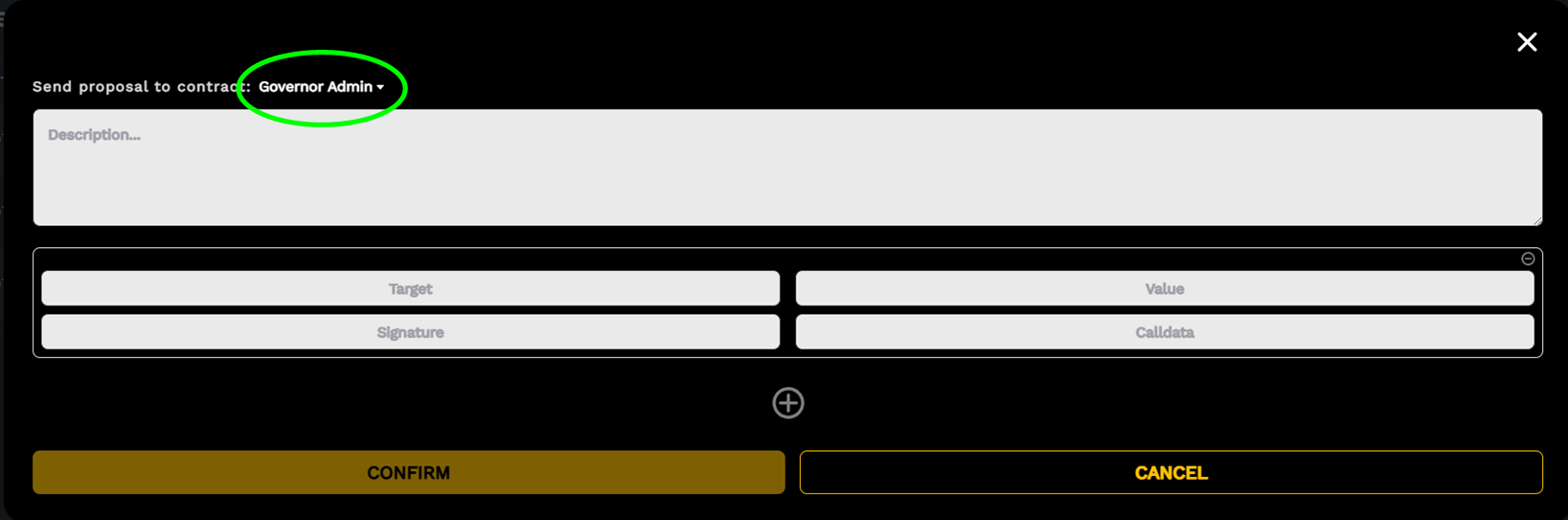
This new interface allows us to post a new proposal (to execute the method GovernorAlpha.propose). Be aware that only users with voting power ( staking.getPriorVotes) above a certain threshold (GovernorAlpha.proposalThreshold; currently 1%) are allowed to post this transaction. The first step is to indicate whether the submission is for the admin or owner Governor contract:
¶ What's the Difference?
Governor Owner is used when the SIP is meant to produce a state change and bitocracy is the Owner, so can be executed only by voting.
Governor Admin is used when the “guardian” (currently the exchequer multisig is also guardian) is enough to execute the proposal - no state changing of contracts owned by bitocracy.
The conditions for a quorum (GovernorAlpha.quorumVotes) also differ:
- Executable - GovernorOwner: requires 20% quorum and 70% support (example: createProposalSIP0039)
- Non-executable - GovernorAdmin: requires 5% quorum and 50% support (example: createProposalSIP0020)
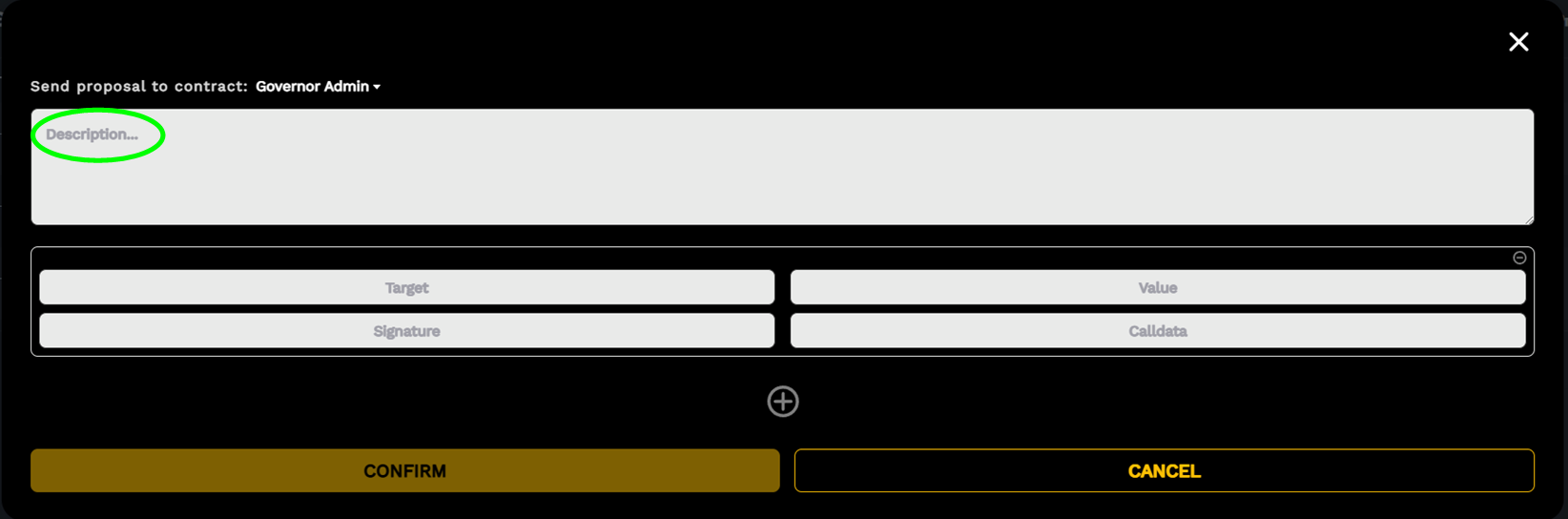
Then we add a description of this proposal. Please be aware that the longer this text chain is the more expensive will be the transaction of the proposal. This is a text string that will live forever in the blockchain, so please act accordingly.
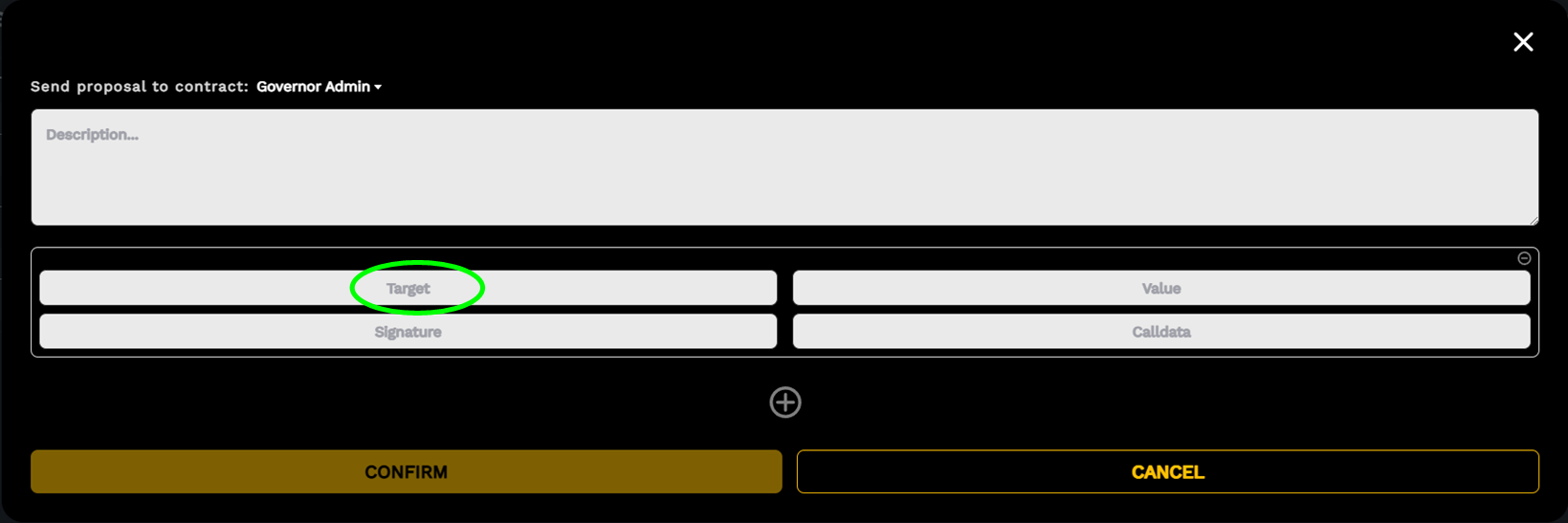
Next we must indicate the first or the unique RSK address of the contract or EOA which will be the target of the first or unique transaction that will be executed if this proposal passes. An important point to keep in mind is that the structure of GovernorAlpha.propose can execute several transactions in the precise order that we enter the data.
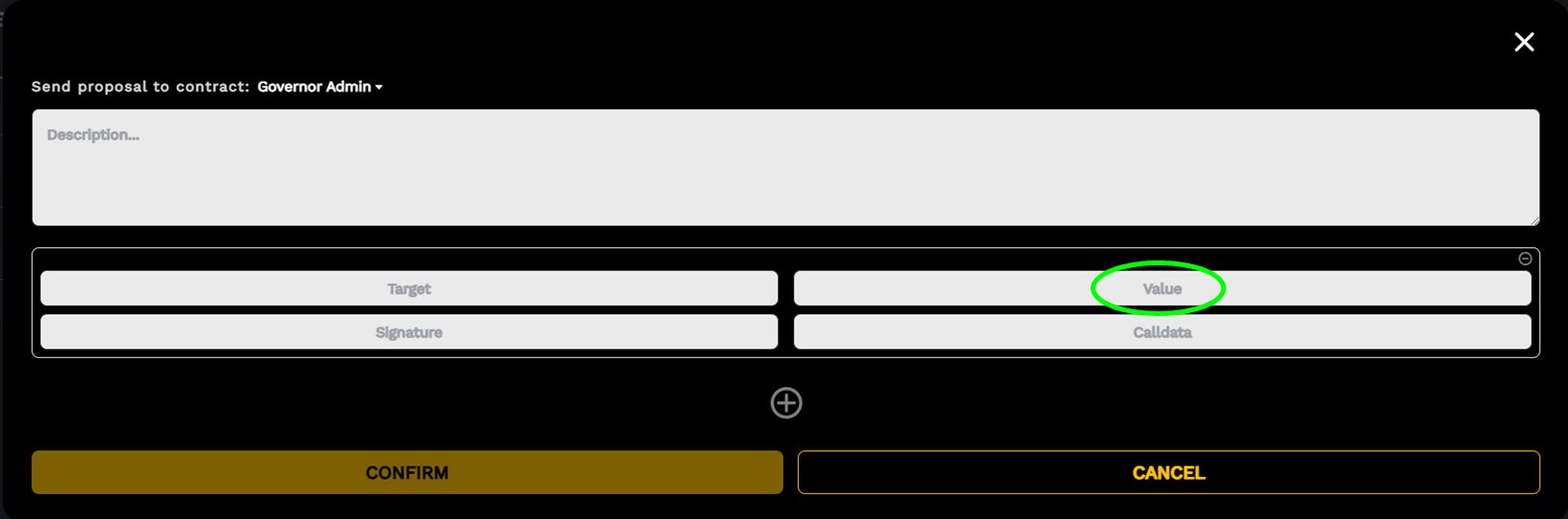
Then we enter the value of this first or unique transaction. Unless we are sending rBTC to the target address, we must fill this field with “0”.
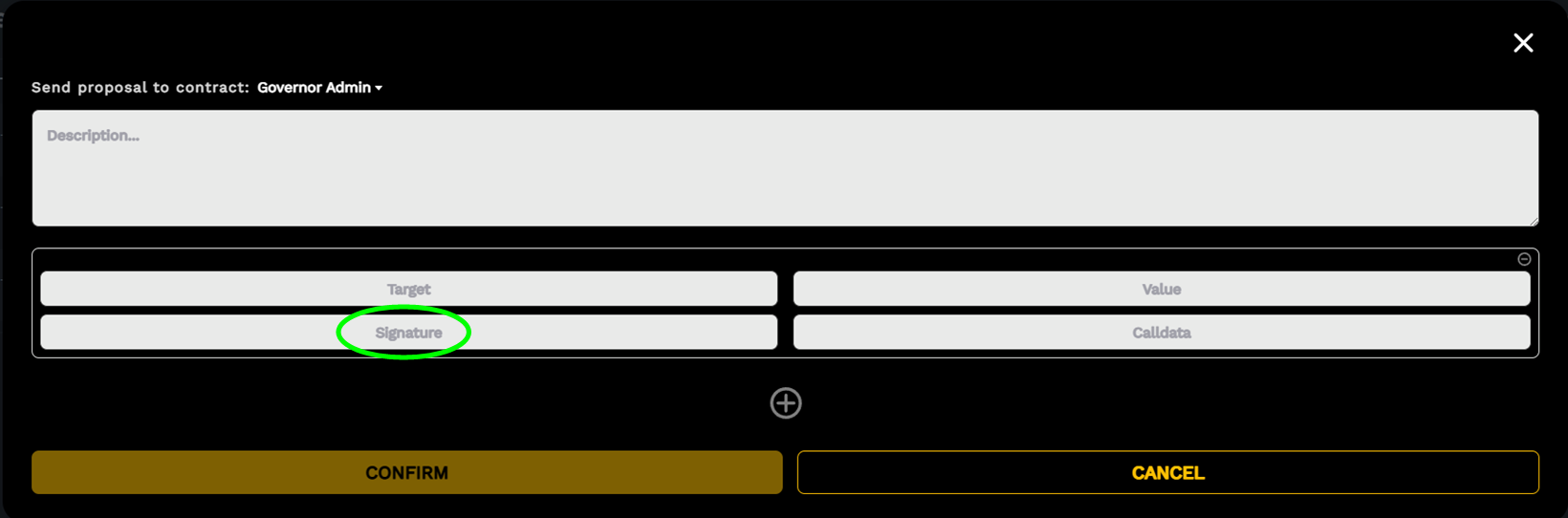
Next is the signature. If the target is a simple EOA we should leave this field empty. But that's a very rare case. The normal case is that the target is a contract. The signature field must hold the name of the function, with the rules for encodeFunctionSignature of web3: just the name of the function and the type of variables (not their names); E.g.: Signature: transferFrom(address,address,uint256).
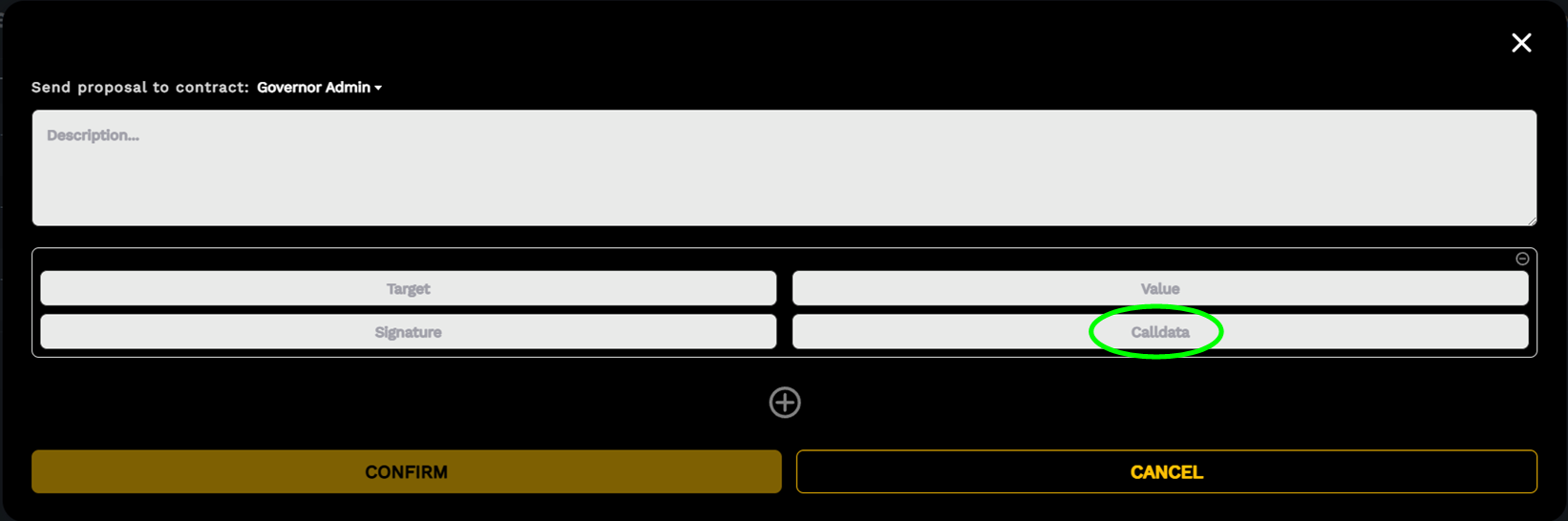
Finally, we must indicate the payload of data that specifies the method we are calling for the target, is going to execute in the contract. If there is no data required or we are dealing with an EOA, this field must be the string: 0x00. Otherwise we need to concatenate the data elements under the rules of ABI encoding.
Next, if we wish to add another set of data, for a second or more transactions in sequence, we must click the plus button. In the following example the propose function we are creating, is instructed (hypothetically, provided that the adoption fund contract was able to “approve” the token transfer to the Governor contract) to transfer 1200 SOV tokens from the adoption fund (0x0f31cfd6aab4d378668ad74defa89d3f4db26633) to an EOA address (0x123456789abcdef123456789abcdef1234567890). So we need to target the SOV ERC20 contract (0xefc78fc7d48b64958315949279ba181c2114abbd), with zero (0) value.
Description: An amazing project
Target (N°1): 0xefc78fc7d48b64958315949279ba181c2114abbd
Value (N°1): 0
Signature (N°1): transferFrom(address,address,uint256)
Calldata (N°1):
0x0000000000000000000000000f31cfd6aab4d378668ad74defa89d3f4db26633000000000000000000000000123456789abcdef123456789abcdef12345678900000000000000000000000000000000000000000000000410d586a20a4c00000Then, the second action is to read the value of “symbol” of the SOV ERC20 contract:
Target (N°2): 0xefc78fc7d48b64958315949279ba181c2114abbd
Value (N°2): 0
Signature (N°2): symbol()
Calldata (N°2): 0x00
And then we can hit the button “CONFIRM” and also confirm the transaction in our wallet.
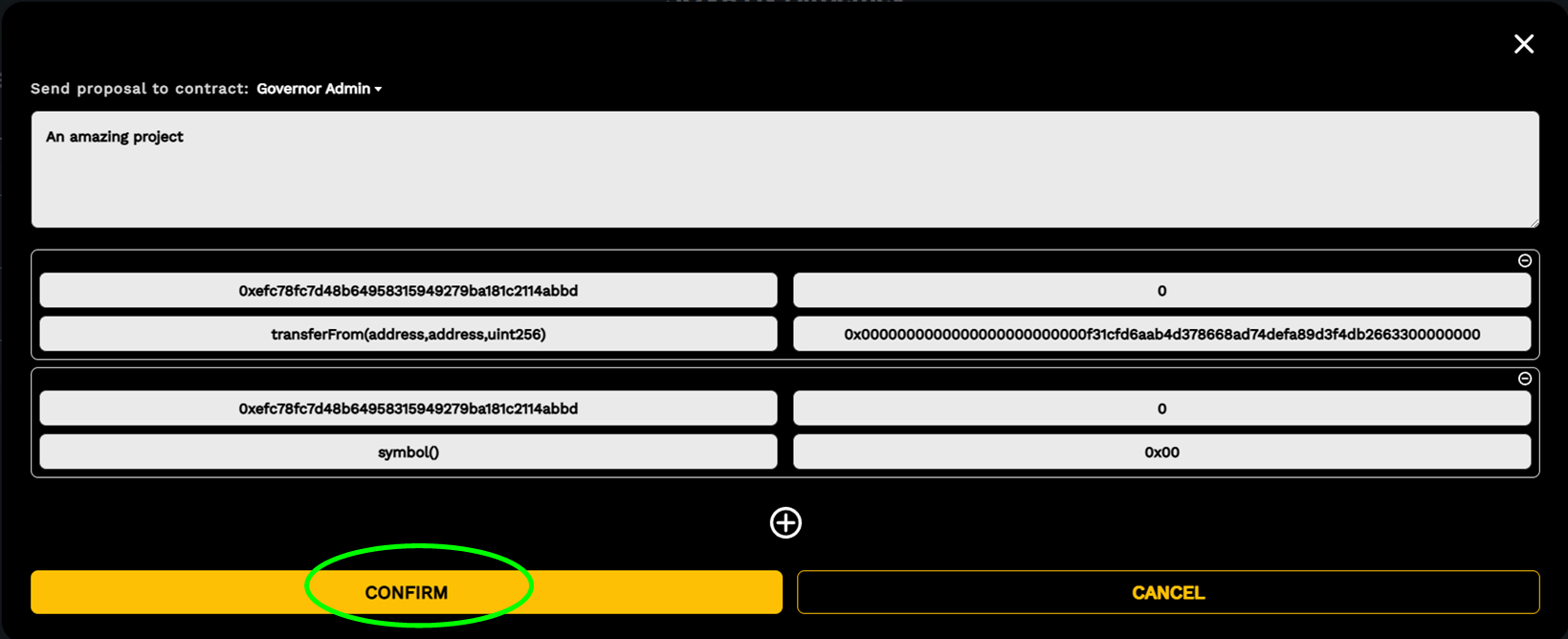
Beware that the second condition is a “read only” action and is used here just as an example. We only read the symbol field of the SOV contract for a SIP that does not do anything in this action.