Perimeter Delay adds a security hold to covered withdrawals, giving guardians time to investigate suspicious activity before funds leave the queue. A delayed payout stays in the Perimeter withdraw queue until it is released.
The configured launch hold is 24 hours. Follow your withdrawal’s displayed countdown and status. The timer ending does not send your funds automatically.
¶ 1 Open your account menu
Open Sovryn, connect the wallet you used for the withdrawal and select Rootstock. Keep a little RBTC in that wallet for the release transaction’s network fee.
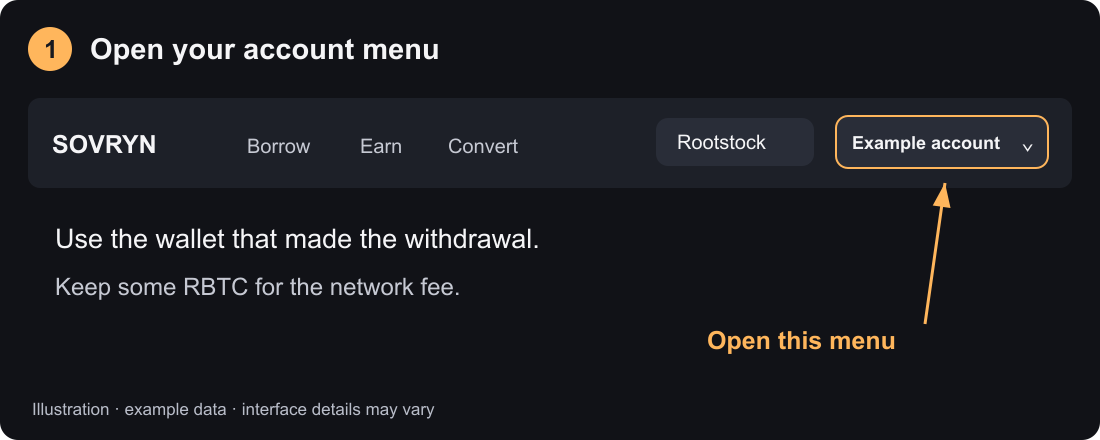
Open your account menu.
¶ 2 Choose Perimeter queue
Select Perimeter queue. Find your withdrawal and check Amount, Destination, Releases and Status. The destination was recorded when you withdrew and cannot be edited through the regular release UI.
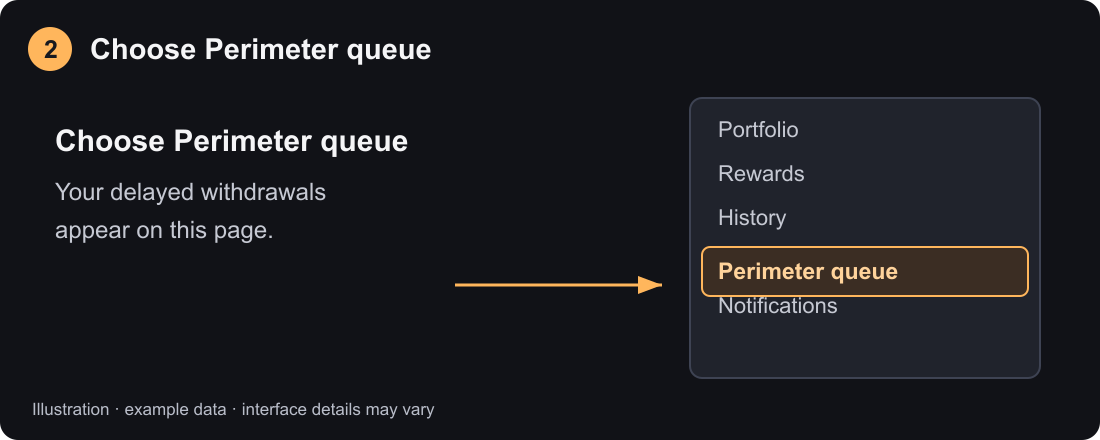
Choose Perimeter queue.
¶ 3 Wait for Ready then select Release
Delayed means the hold is still running. Wait until the status shows Ready, then select Release. A zero countdown alone is not enough: the chain must also confirm that the unlock time has been reached.
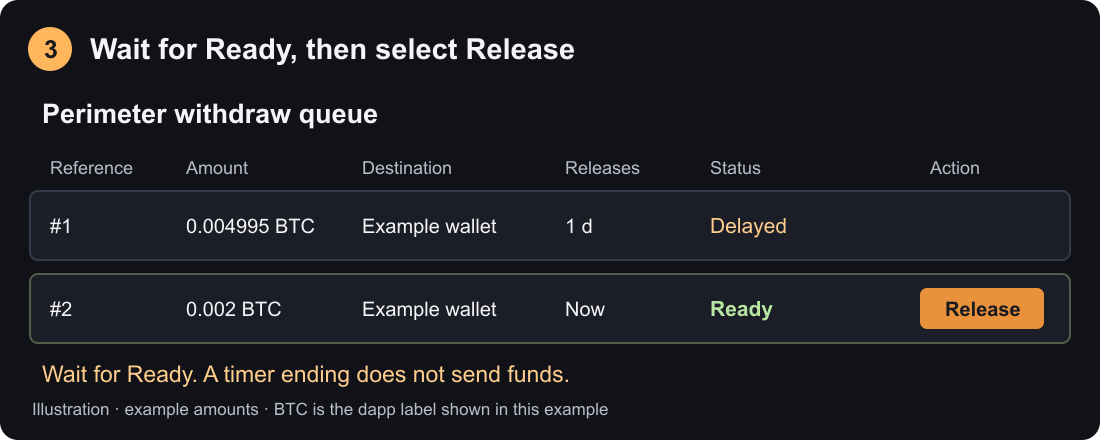
Wait for Ready, then select Release. Amounts are examples.
¶ 4 Review and confirm
Review the release transaction and confirm it in your wallet. Wait for a successful transaction receipt. Funds go to the recorded destination, and the released request disappears from the pending queue.
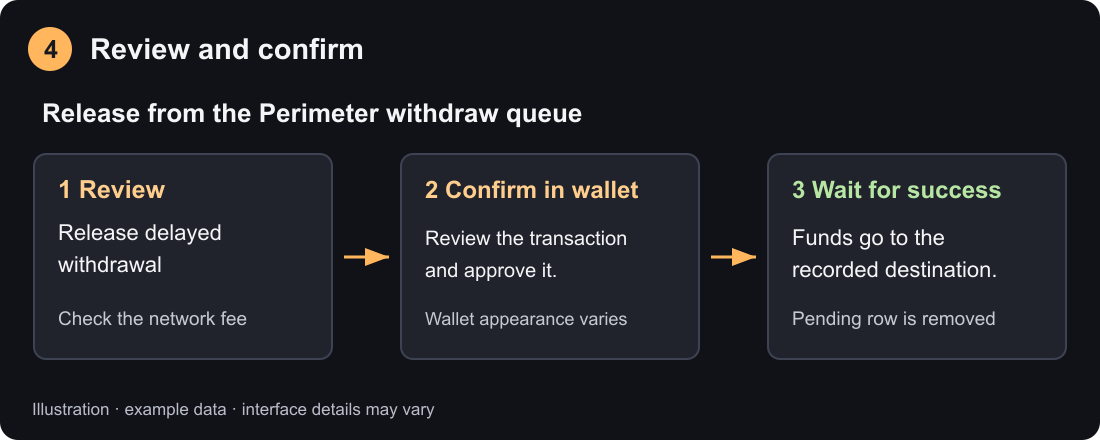
Review and confirm, then wait for success.
¶ If you cannot release
If the queue is empty, check your connected account and network. Unlocking means waiting for chain confirmation. Paused means releases must resume; Under investigation means a restriction must clear before ordinary release can proceed. Could not be read indicates a data-read problem; it is not evidence that funds disappeared. Try again later.